Home Assistant
Open source home automation that puts local control and privacy first
Project Overview
A comprehensive Home Assistant installation managing every aspect of a smart home, from climate control and lighting to financial tracking and Tesla integration. Running on Home Assistant Green hardware with backups stored on TrueNAS, the system features custom dashboards, 50+ automations, and integrations with 20+ services including cryptocurrency tracking, NAS monitoring, security cameras with Frigate NVR, and advanced data visualization.
The Journey
Background
Starting in August 2024 with zero programming or coding experience, this project began as a "new hobby" exploring self-hosting and moving away from third-party cloud services. Successfully consolidated multiple apps into one unified platform.
From NAS to Home Assistant Green
Initially ran Home Assistant Core on a Synology NAS (version 2023.7.3), but quickly hit systematic limitations compared to Home Assistant OS. After extensive research on Reddit and consulting with ChatGPT for workarounds, I made the jump to Home Assistant Green ($99 hardware purchase with no recurring costs).
System Statistics
Dashboard 1: Main Control Center
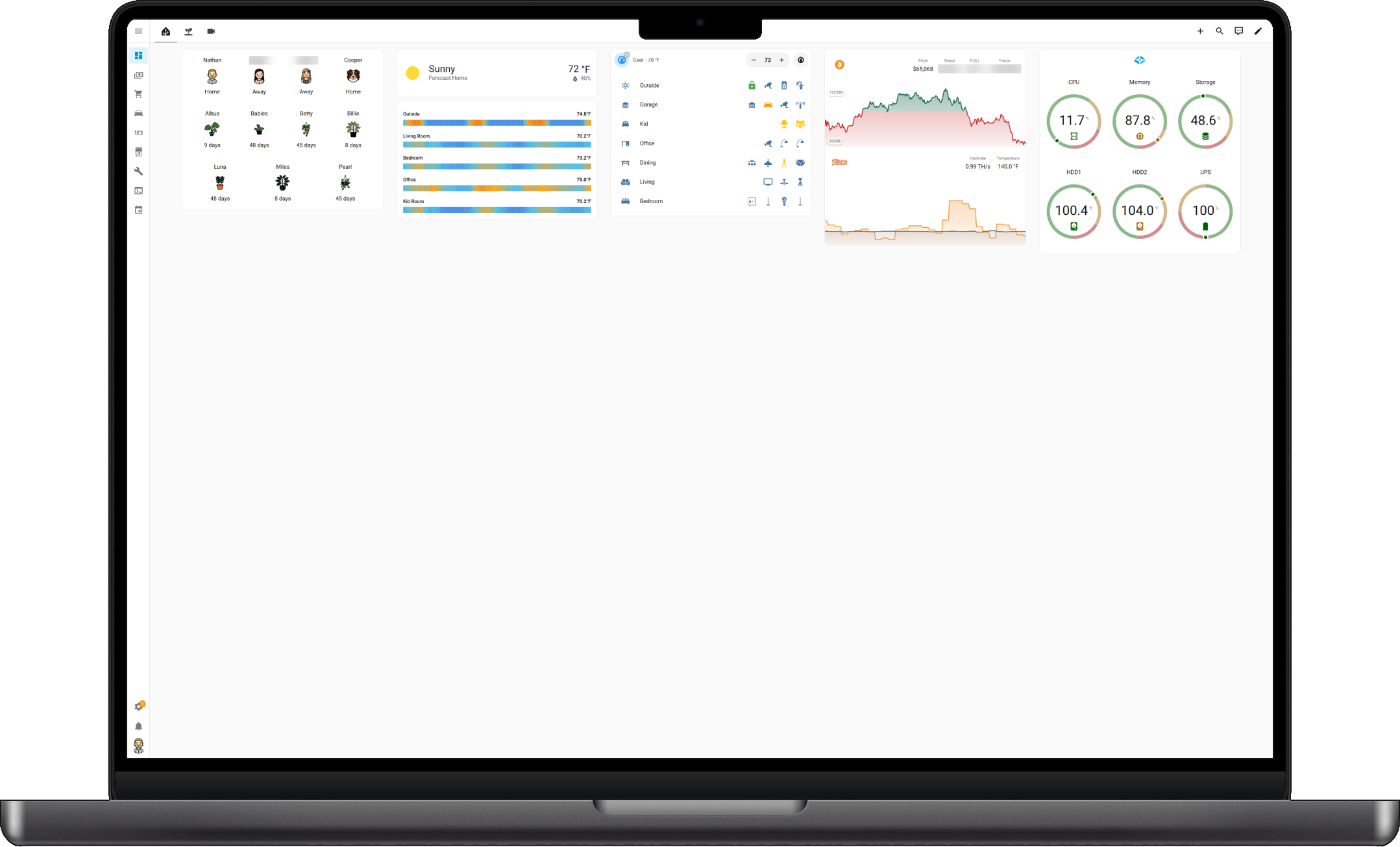
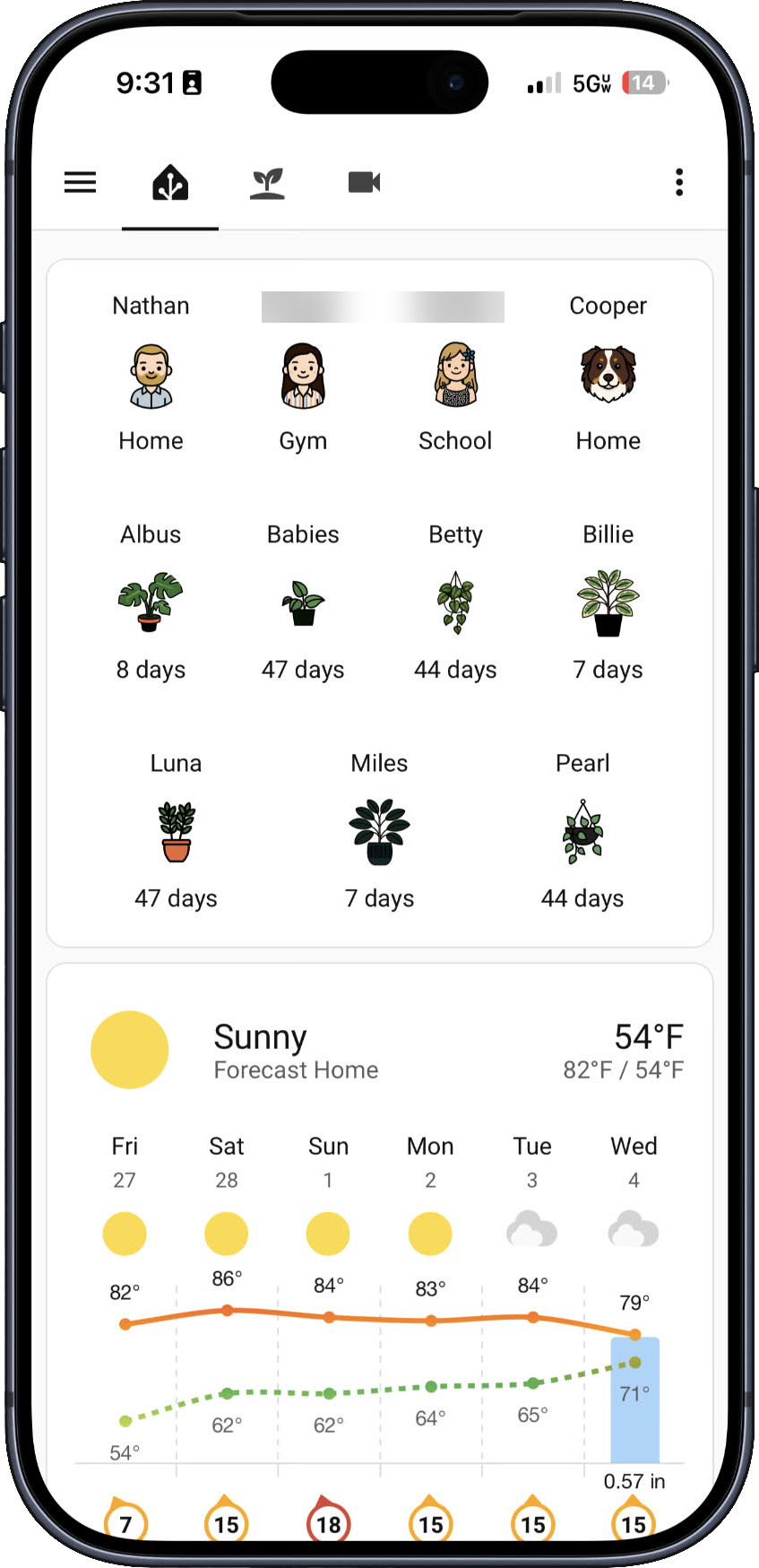
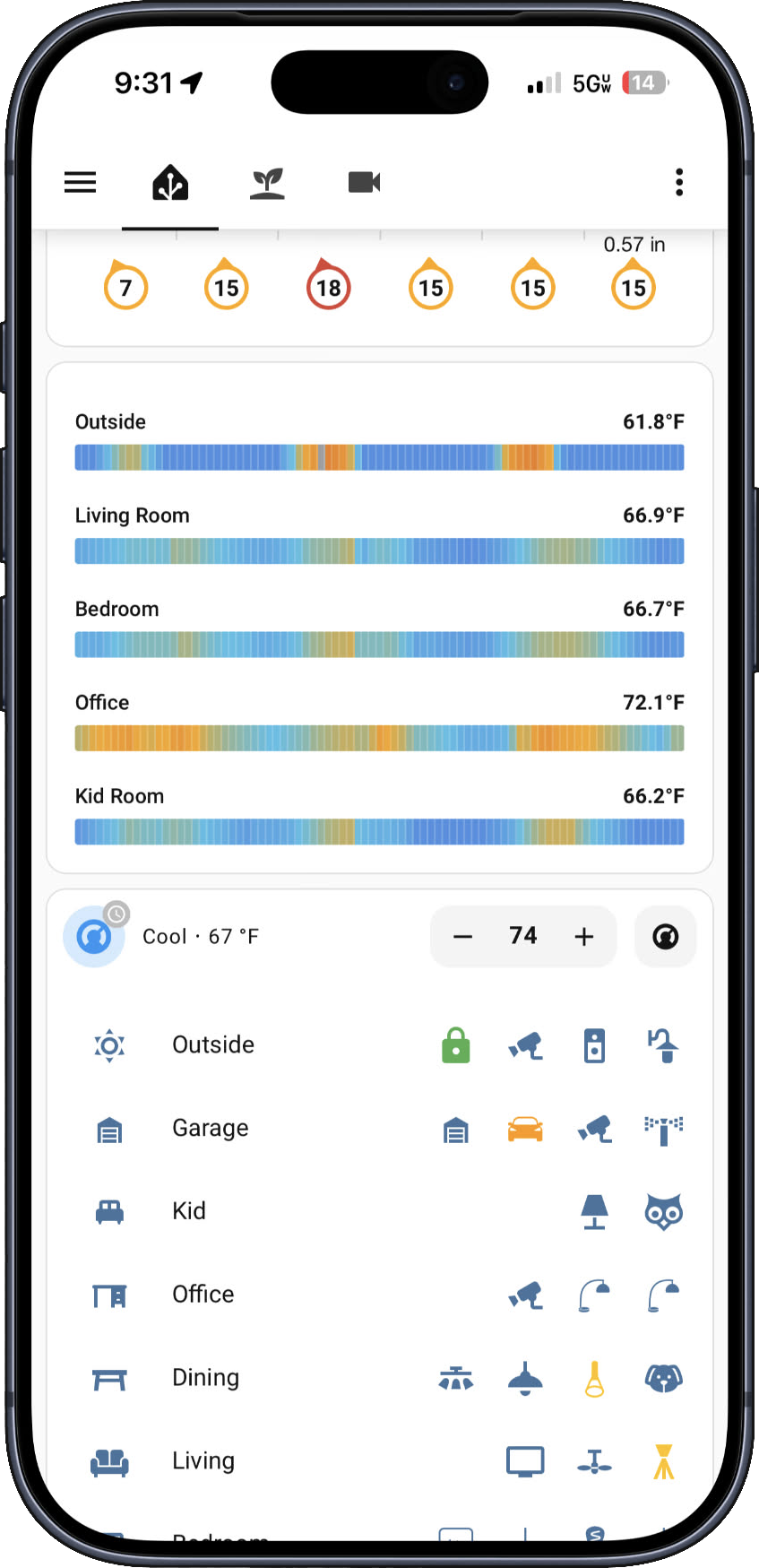
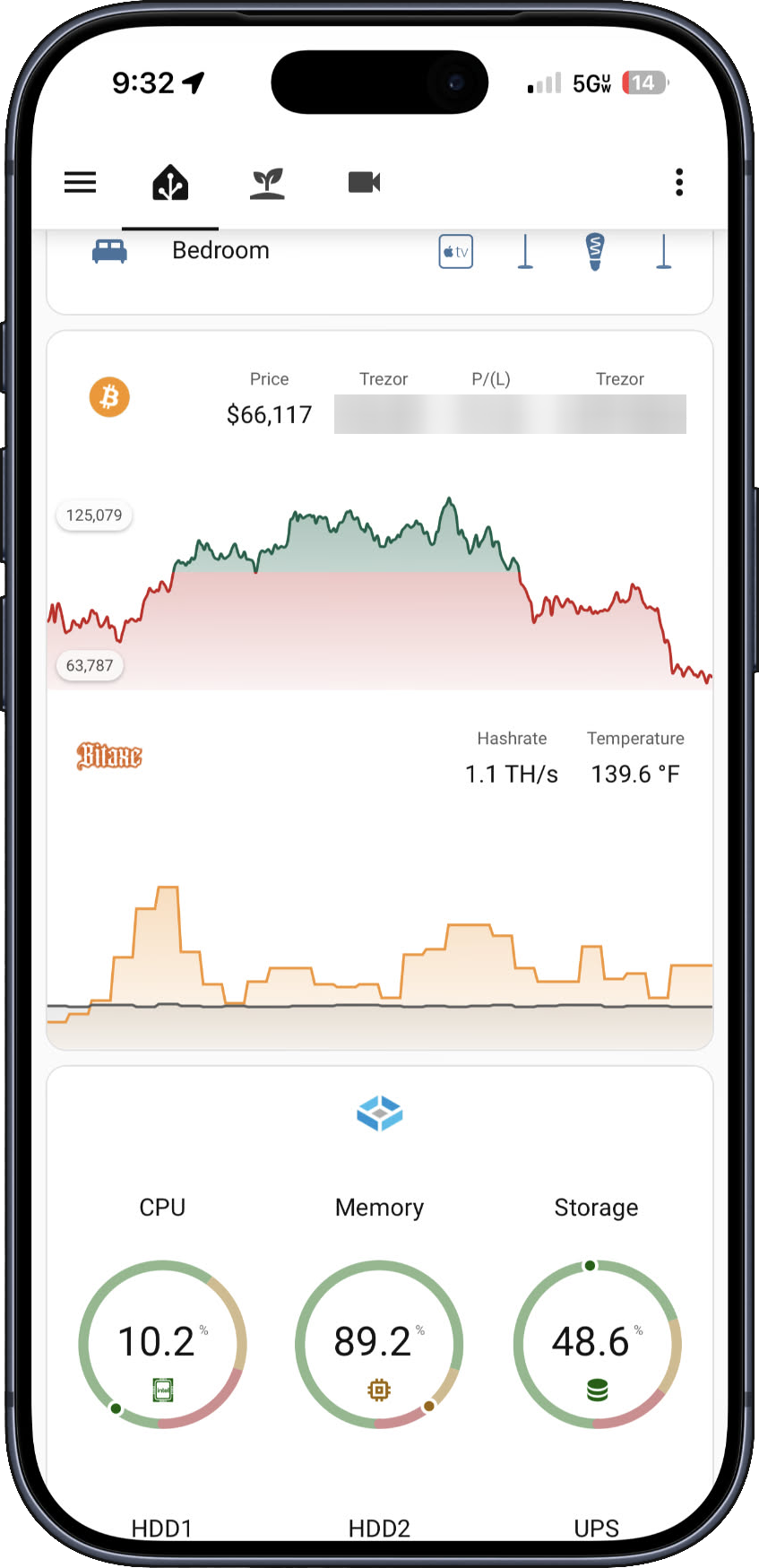
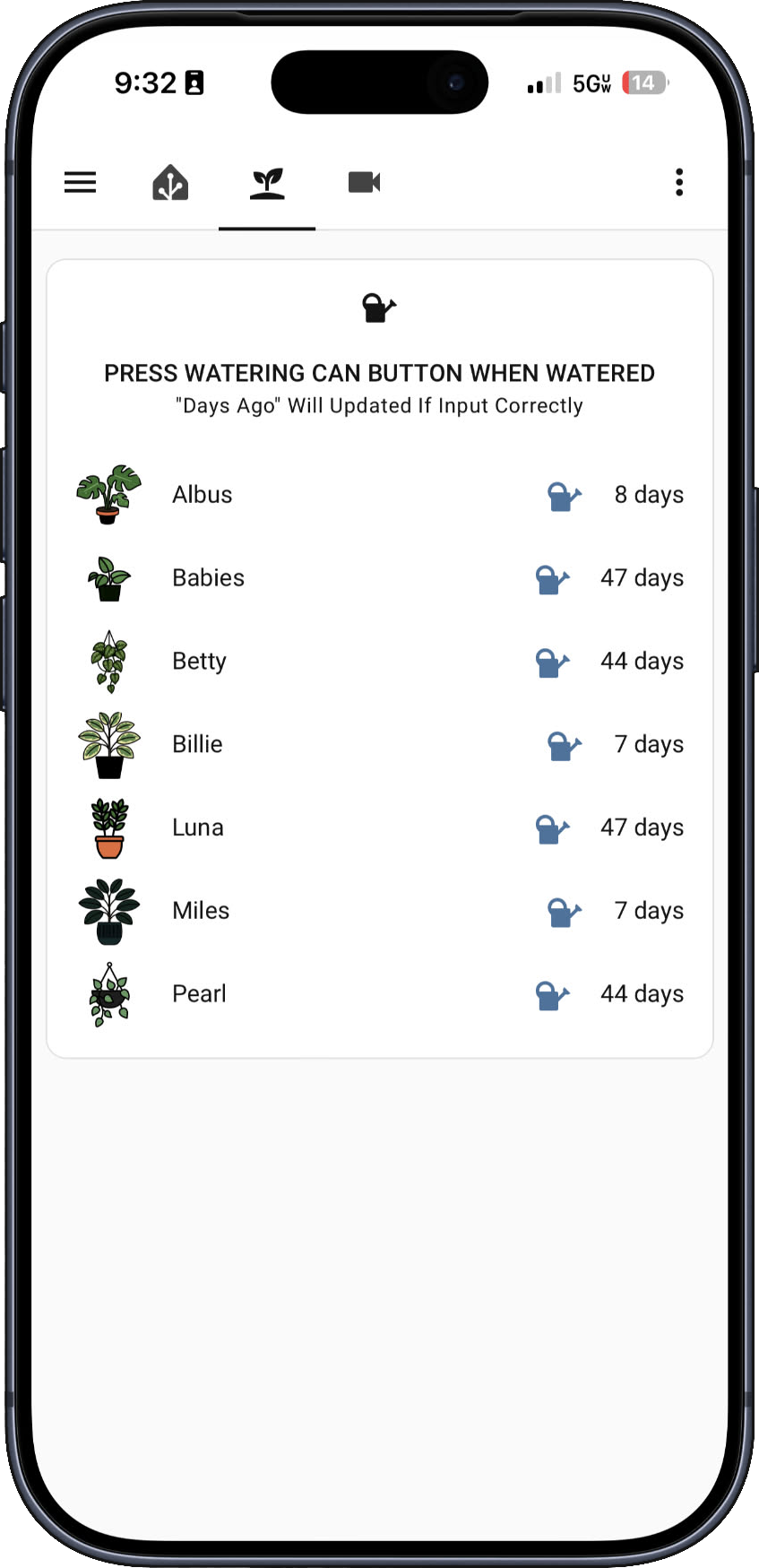
Dashboard 2: Plant Care Tracker
Spent more time than necessary creating custom plant illustrations that match the actual houseplants.
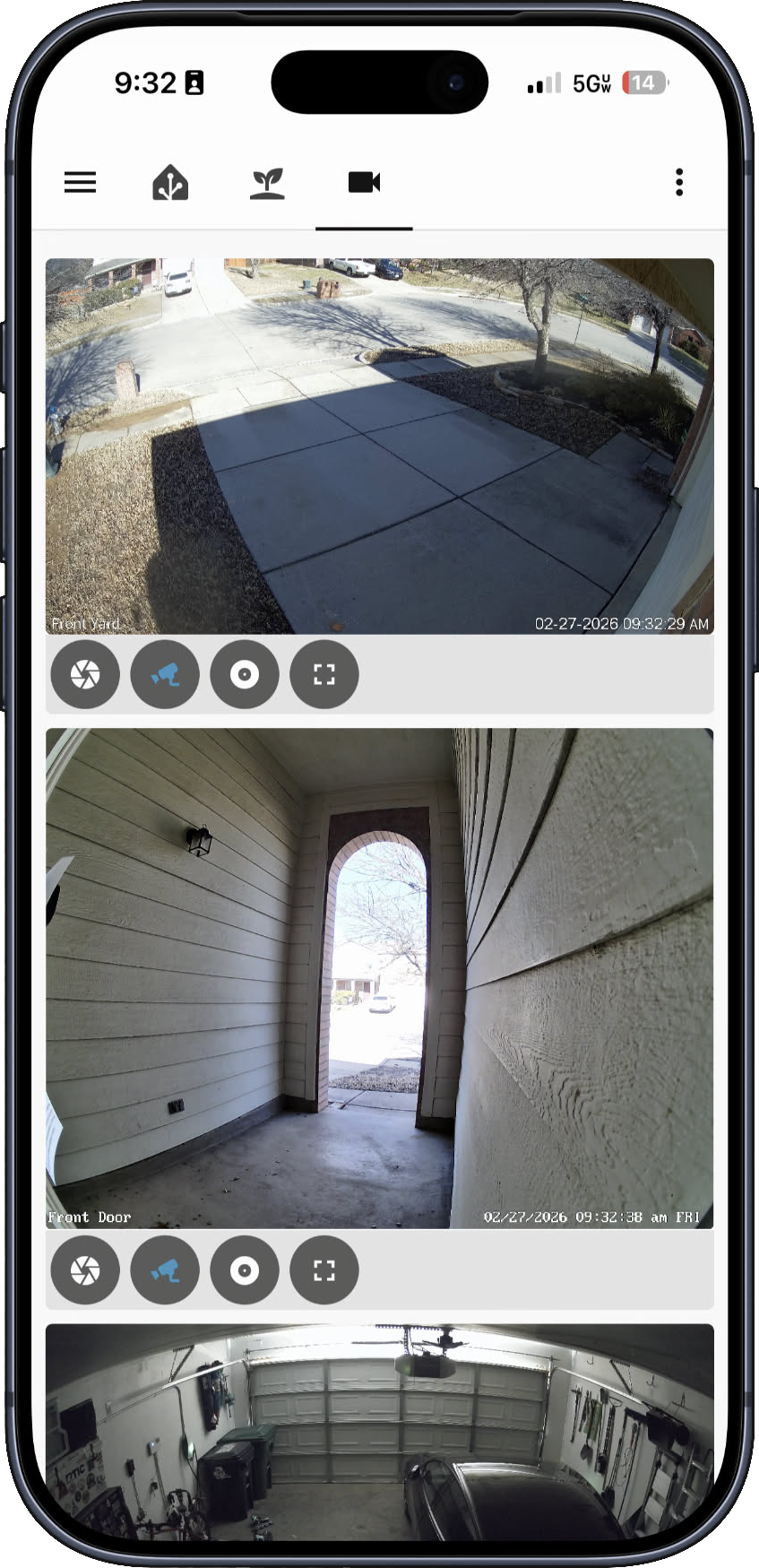
Dashboard 3: Security Camera Grid
Current Setup: Six-camera security system powered by Frigate NVR with Intel Quick Sync hardware acceleration:
- WiFi: Amcrest ASH21 (Office) - 24/7 live view with person detection and pan/tilt
- PoE: Amcrest IP8M-2779EW-AI cameras (4x) - 4K 8MP with AI person/vehicle detection
- Doorbell: Reolink Video Doorbell PoE - 5MP 2K+ with smart detection and chime
Frigate NVR
Self-hosted video management running on TrueNAS with hardware-accelerated object detection. All clips stored locally - zero cloud dependency or subscription costs. Completely replaced Google Nest cameras and eliminated monthly Nest Aware subscription.
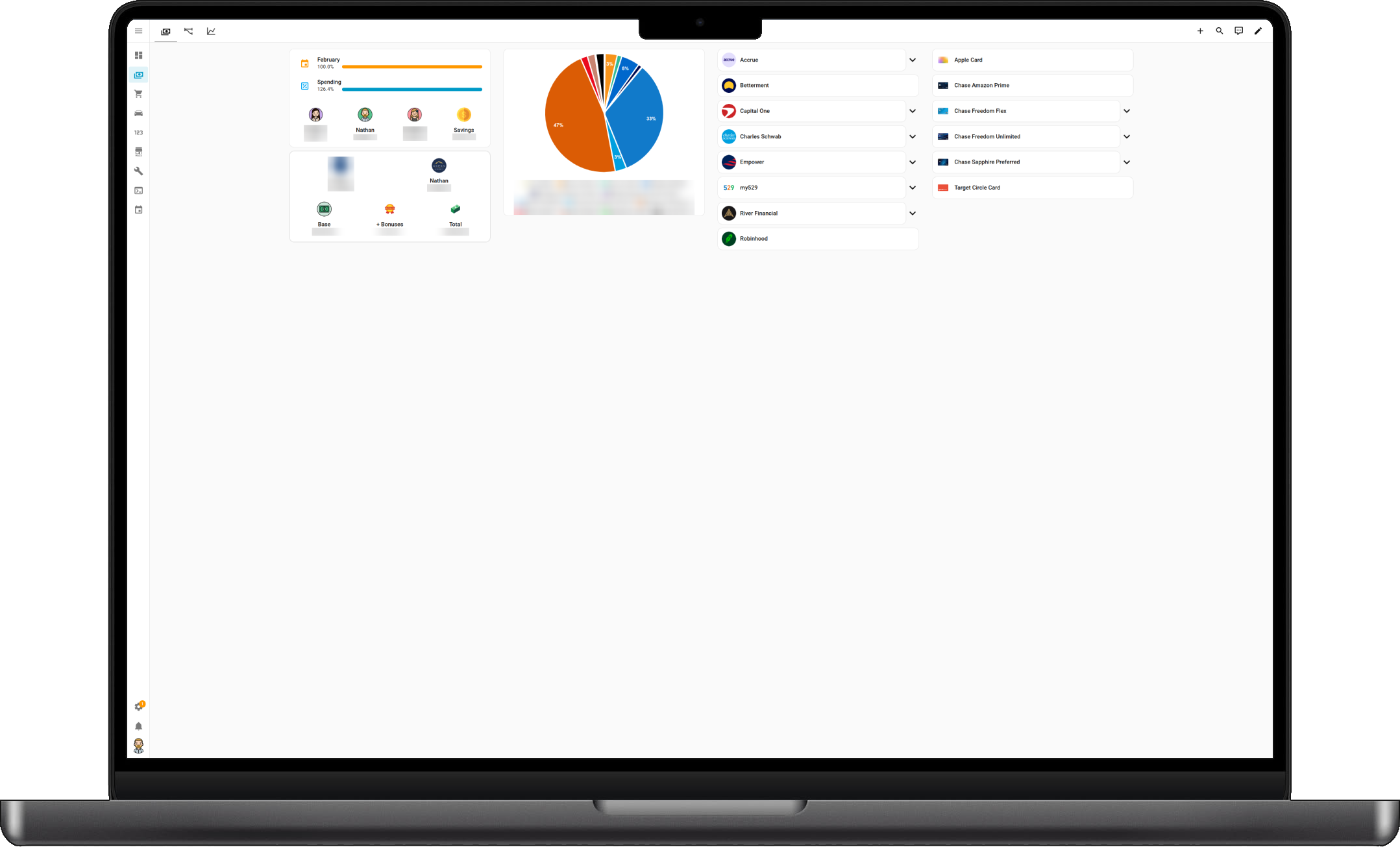
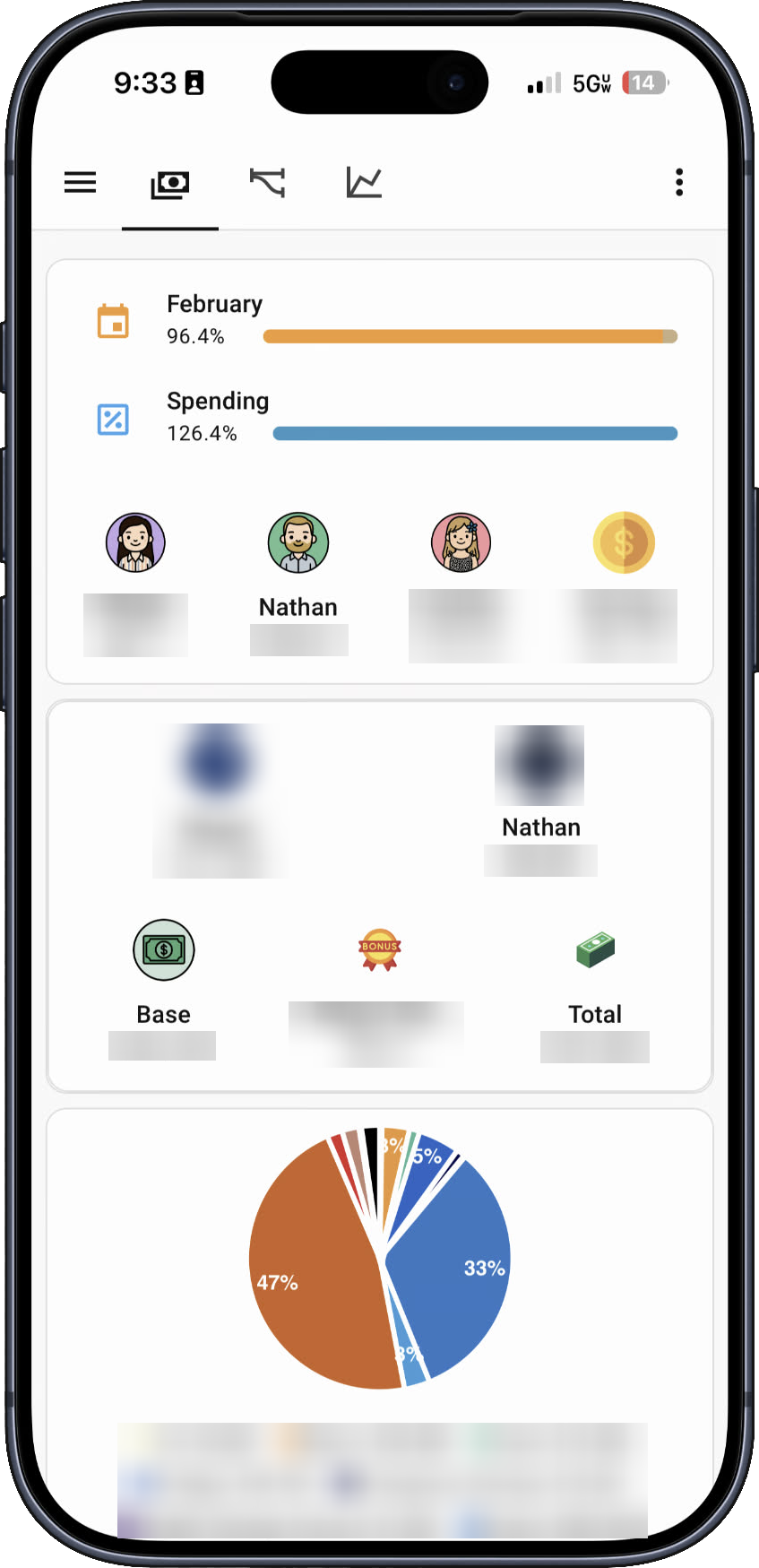
Dashboard 4: Financial Overview
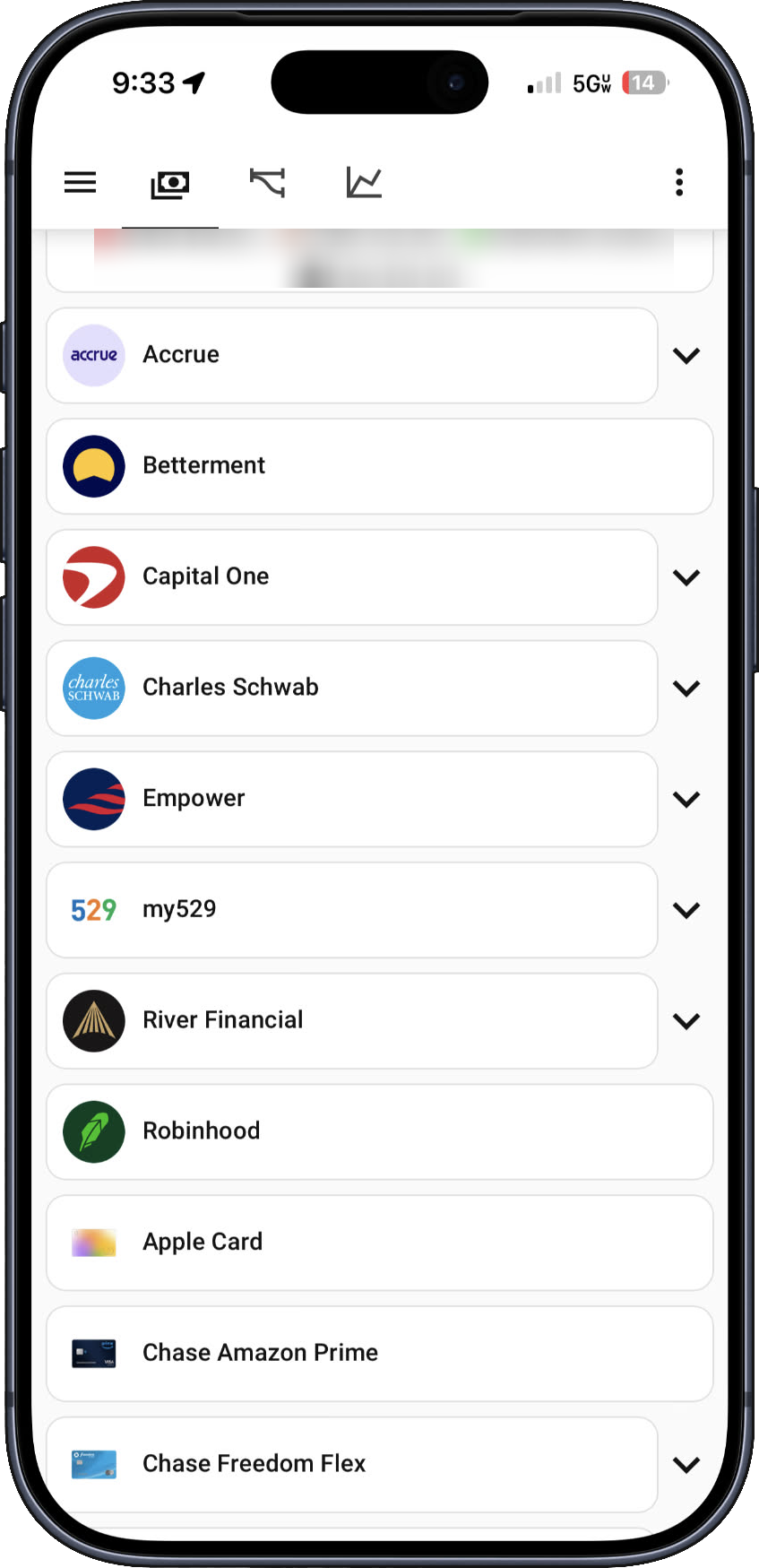
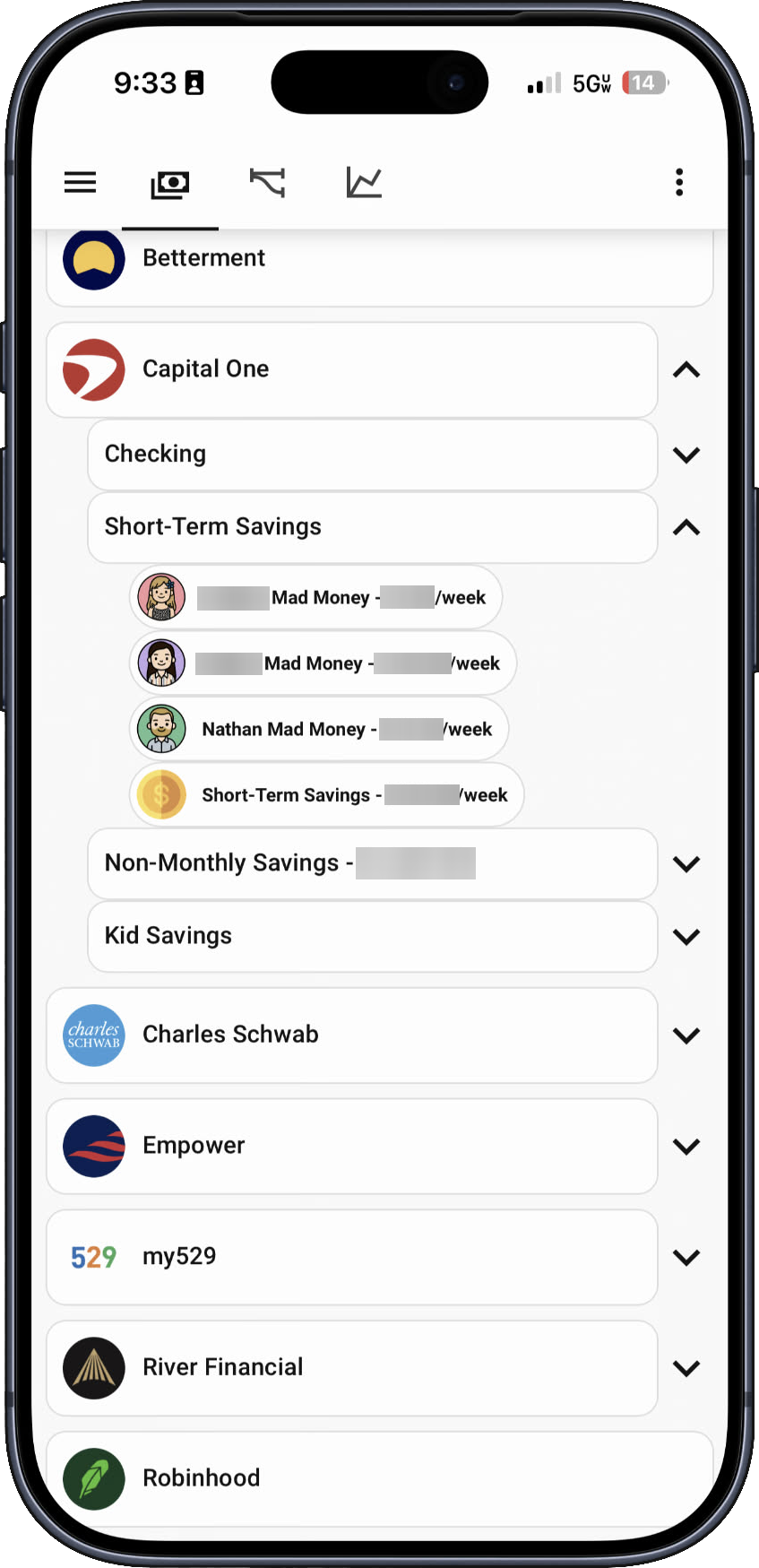
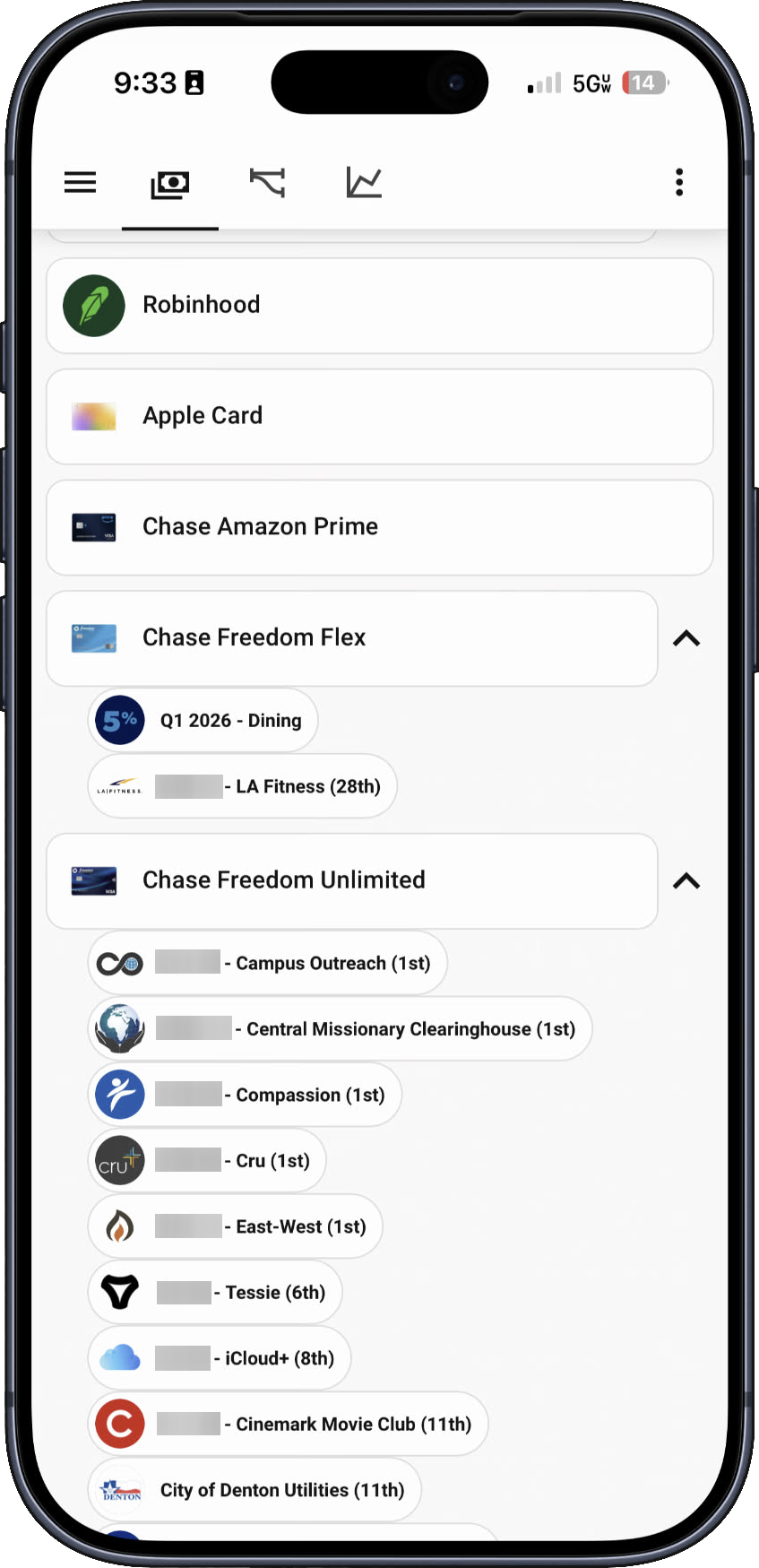
The Most Difficult Build: This dashboard took the longest to create. Previously, family financial information was stored in shared Notion notes (account locations, contribution schedules, bills, credit card strategies to maximize points, income info, etc.). The goal was to house everything in Home Assistant to eliminate third-party dependency on Notion.
Technical Challenge: Nested lists with collapsible fields (using fold-entity-row cards from HACS) required extensive trial and error. Custom icons for every institution and bill? "Absolutely not" necessary.
Data Integration: Most account values automatically feed from two Excel files using VBA. "Run rate tracking" automation compares % of budget spent vs. % of month passed (automatically updates based on actual month and each day).
Dashboard 5: Net Worth Flow (Sankey Diagram)
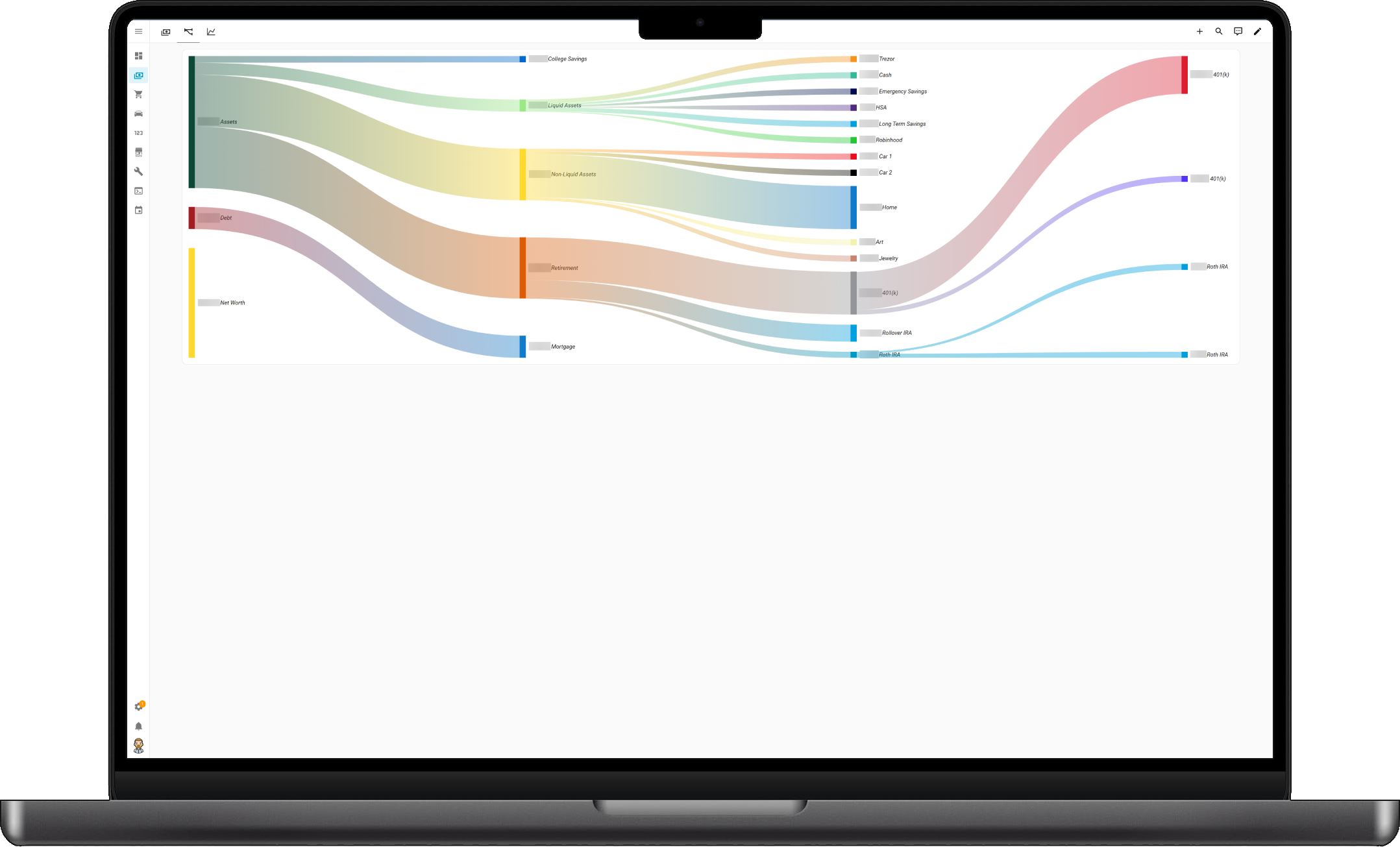
Custom Sankey diagram visualizing complete financial structure. Shows flow from Net Worth through Assets and Debt categories, breaking down into Liquid Assets, Non-Liquid Assets, Retirement accounts, College Savings, and Mortgage. Each stream is color-coded and sized proportionally to value. Honestly, Sankey diagrams are my favorite.
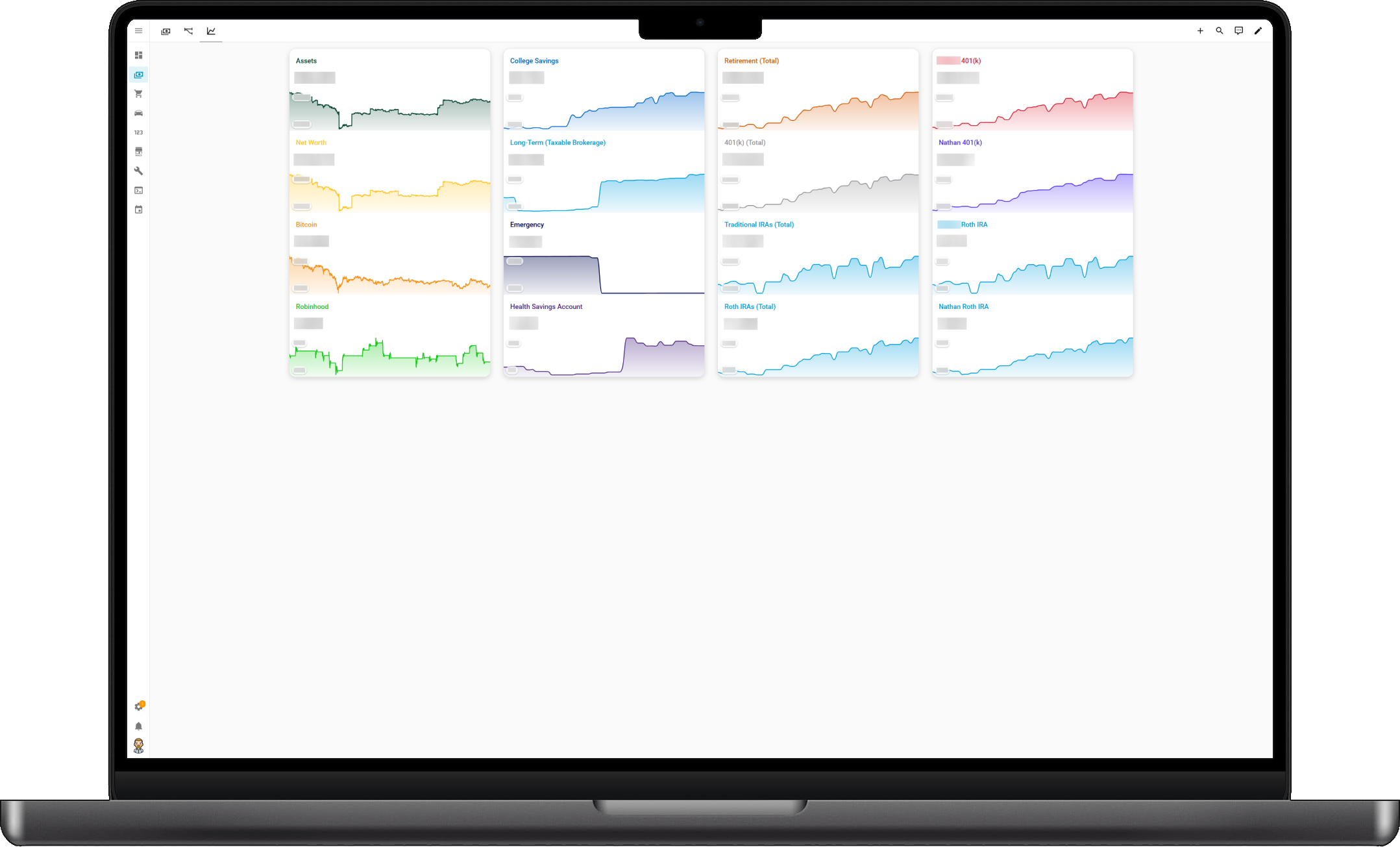
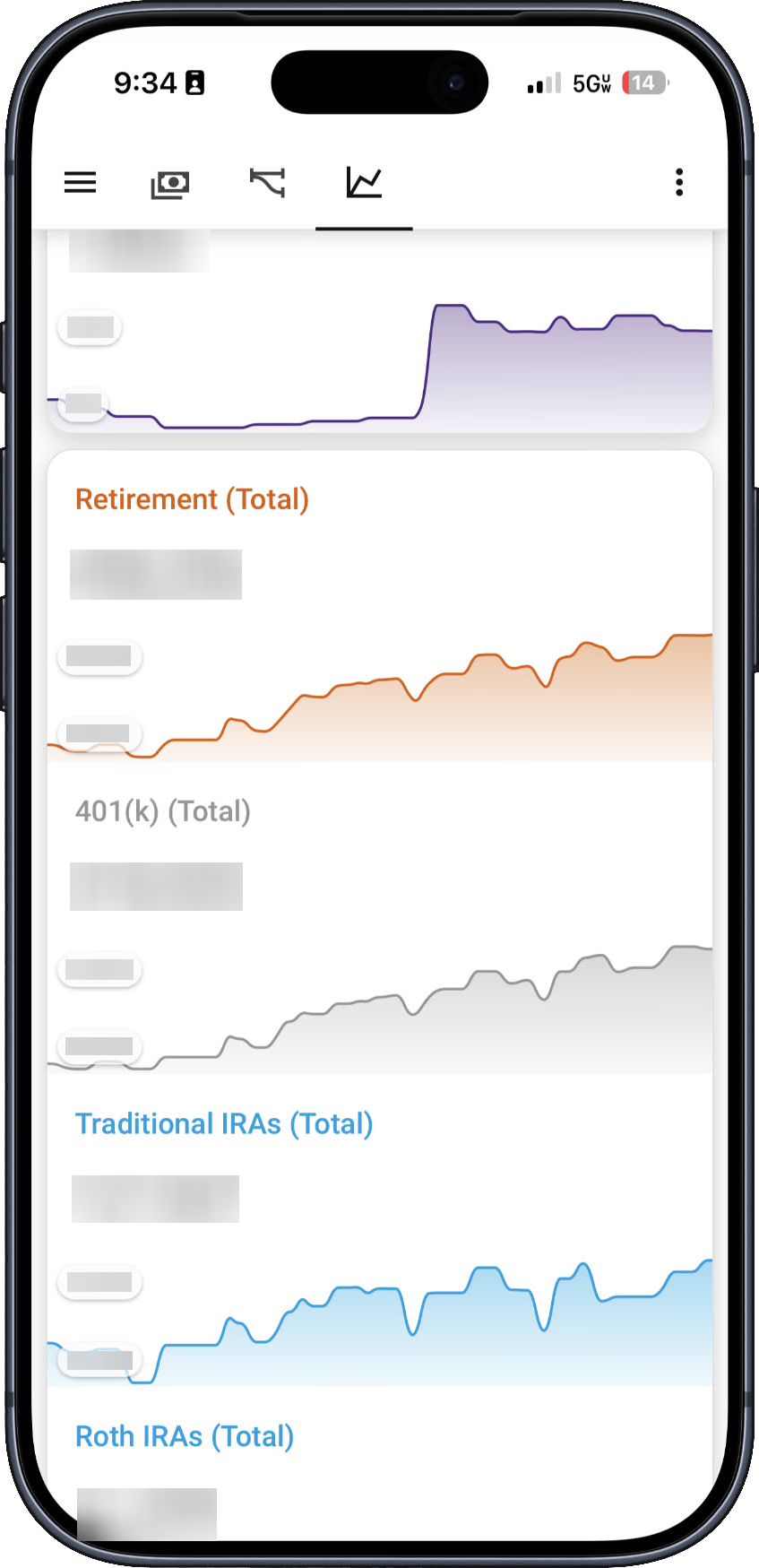
Dashboard 6: Historical Account Growth
Favorite Card: Uses mini-graph-card (hands down my favorite custom card discovered). Super customizable with coded transition points based on states—for example, Bitcoin chart shows green when >$100k and red when <$100k. Combined with multiple-entity-row cards using vertical-stack-in-card for clean presentation.
Current Status: About 65% automated, 35% manual input-dependent. Still waiting on API access through Developer Portals for some institutions. May never reach 100% automation.
Dashboard 7: Grocery & Budget Tracking
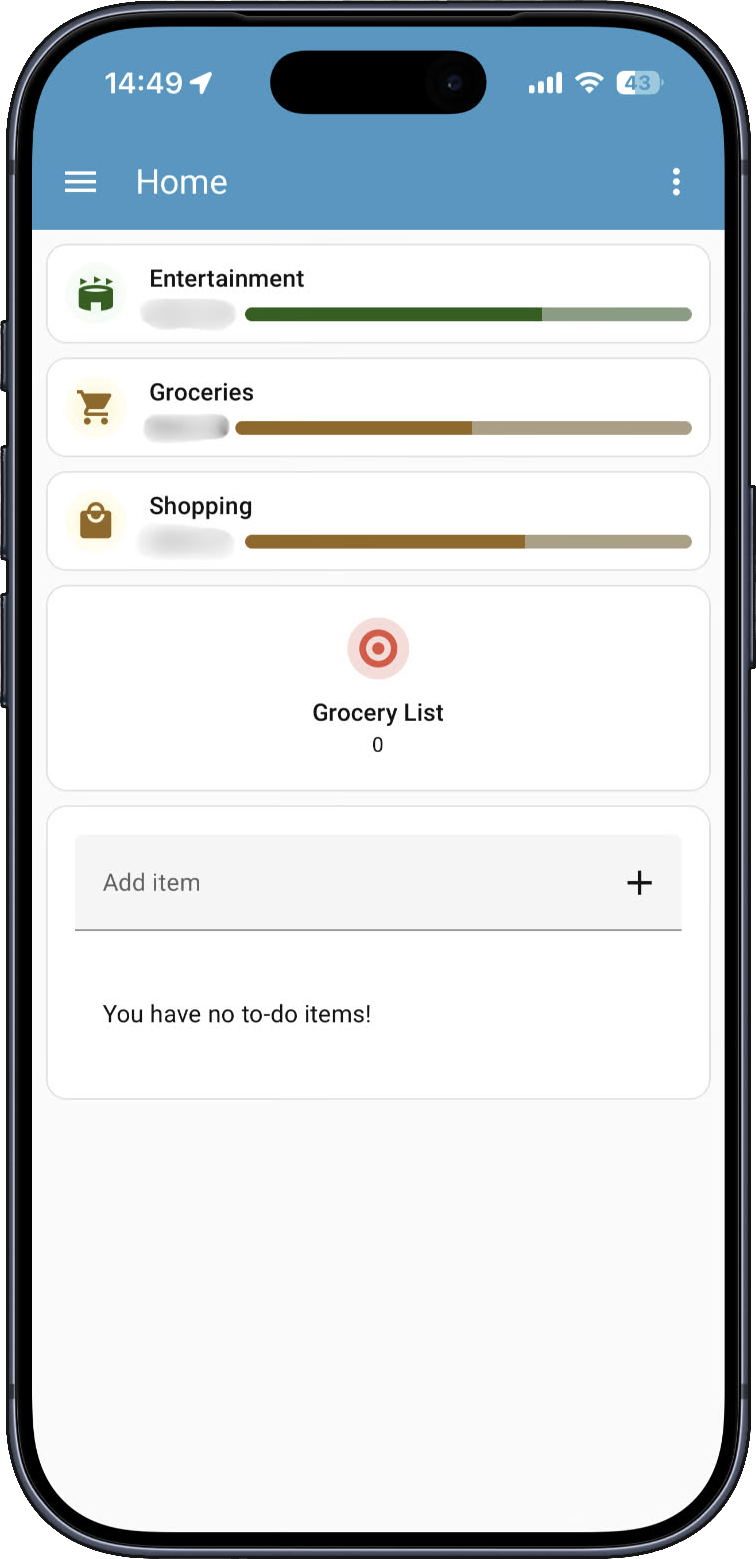
Replacing Notion: Previously used Notion religiously for shared grocery and shopping lists, but noticed syncing issues and laggy updates that became frustrating over time. This dashboard pulls in remaining Entertainment, Groceries, and Shopping budget amounts automatically from Excel, giving the family a quick way to check balances.
Features: Three bar-card budget trackers with color-coded severity levels (green/orange/red) based on spending thresholds. Integrated with Target Grocery List todo entity for real-time shopping list management accessible from mobile.
Dashboard 8: Tesla Vehicle Control
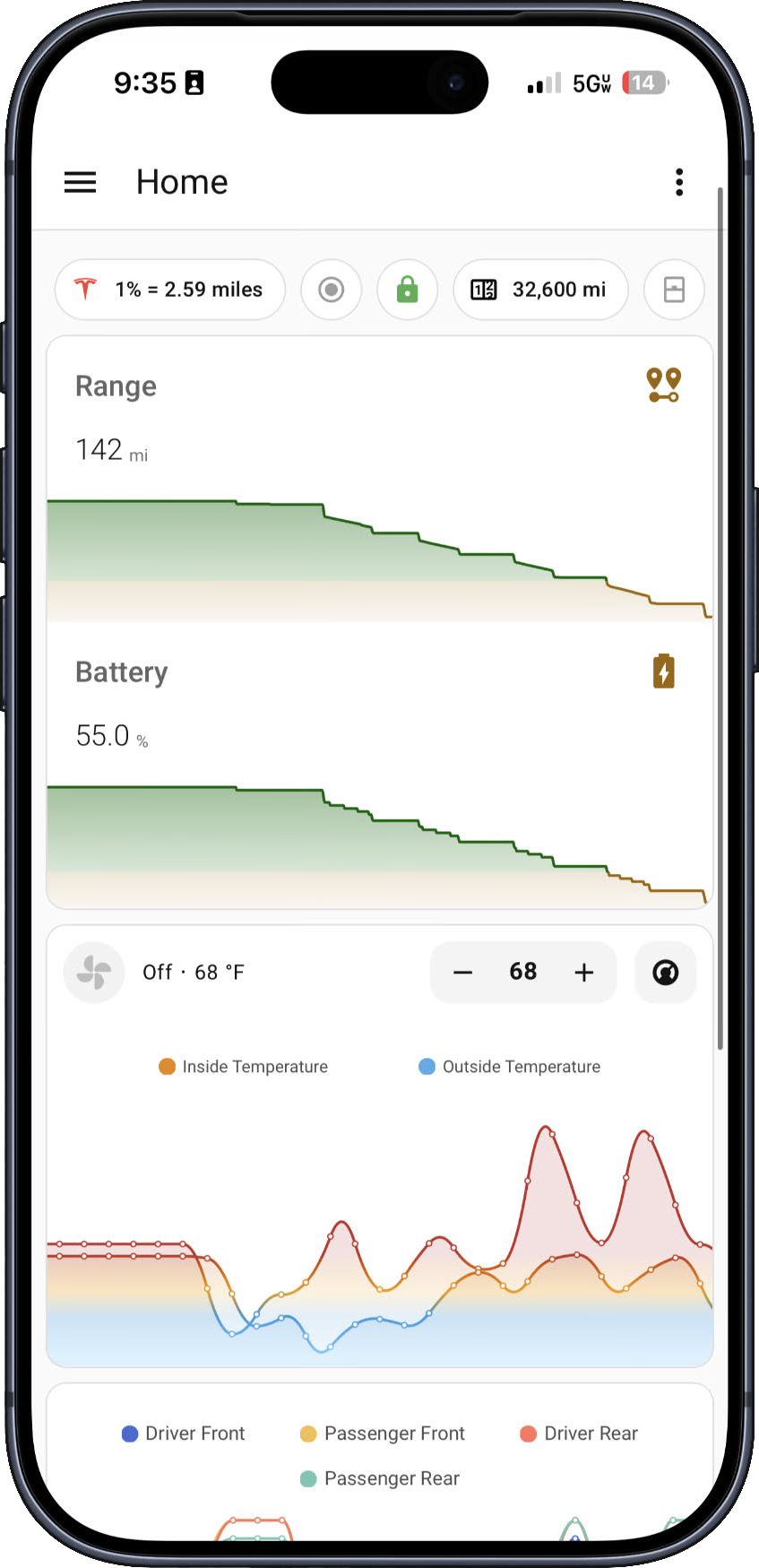
Practical Integration: This has become very useful with automations tied to vehicle states. Real-time battery percentage, range tracking with 7-day history, internal and external temperature, and tire pressure monitoring for all four tires. Helped identify a slow leak and find a hidden nail in a tire.
Data Quirk: Tire pressure readings report from when the car last went to sleep, not real-time.
Additional Features: Transit time estimates for regular drives, odometer tracking, lock/unlock status, Sentry mode on/off toggle. Climate automation cracks windows if interior temperature exceeds x °F and exterior exceeds x °F.
Key Features
Smart Home Control
18+ TP-Link Kasa switches/plugs, Daikin thermostat with geofencing, Yale smart lock (Z-Wave), garage door, security cameras
Financial Tracking
Real-time budget monitoring, 12+ account tracking, and net worth Sankey visualization
Bitcoin & Stocks
Live Bitcoin price via CoinGecko and Yahoo Finance
Tesla Integration
Battery monitoring, climate control, tire pressure, sentry mode, lock control via Tessie
Security System
Six cameras via Frigate NVR - 1 indoor WiFi, 4 outdoor PoE, 1 doorbell - all clips stored locally on TrueNAS
50+ Automations
Automated lighting, garage control, location notifications, schedules, climate control
NAS Monitoring
TrueNAS SCALE tracking CPU, RAM, storage, temperature, uptime - backups stored here
Plant Care
11 plant watering schedules with button timestamps and day counters
Budget Dashboard
Grocery, shopping, and entertainment budget tracking with color-coded alerts
Sample Automations (50+ Total)
- Smart Arrival: Opens garage and turns on entry lights when family arrives home
- Midnight Routine: Turns off 17 lights at 12 AM, locks front door
- Sunrise/Sunset: Controls outdoor lighting based on sun position
- Location Notifications: iOS push notifications for arrivals/departures
- Garage Safety: Auto-closes garage at scheduled times if left open
- Bias Lighting: TV backlight (Govee) syncs with TV power state
- Tesla Climate: Cracks windows if interior >110°F and exterior >95°F
- Financial Snapshots: Records midnight Bitcoin and portfolio values
- Plant Care: Timestamps watering events for 11 plants
- Pet Feeding: Logs automatic feeder activations
- Room Groups: Button-triggered groups for Bedroom, Kid Room, Dining
- Book Club: Opens garage at 7:55 PM every Wednesday for wife's book club
Technical Stack
Custom Frontend Cards
Smart Home Devices & Integrations
Implementation Highlights
- Templating: Custom Jinja2 templates for dynamic styling and calculations
- Excel VBA Integration: Automated financial data feed from Excel to HA using VBA scripts
- Real-time Data: Live updates from 20+ APIs (CoinGecko, Yahoo Finance, Redfin, OpenWeatherMap, Trakt)
- Complex Visualizations: Sankey diagrams, ApexCharts, mini-graph cards with color-coded thresholds
- Custom Sensors: Template sensors for budget run-rate %, days since watered, Bitcoin cold wallet USD value
- Multiple-Entity-Row Discovery: Cleaned up entity display drastically for better mobile experience
- State-Based Visibility: Conditional card display (e.g., package cameras only show when deliveries present)
- HACS Custom Cards: Mushroom, Mini Graph, Bar, ApexCharts, Sankey, Waterfall History, Fold Entity Row
- Frigate NVR: Hardware-accelerated object detection with Intel Quick Sync, all recordings stored locally on TrueNAS
- Z-Wave Integration: Yale lock control via Home Assistant Connect ZWA-2 dongle for plug-and-play setup